 Routinewheel
Record a job once
Do the job once while Routinewheel watches, then turn it into steps you can read. 1:10
Read what the video says
The quickest way to make a macro is to record it. You do the job once, and Routinewheel writes down every click and key.
Go to Macros, and press Record my screen.
You get a three second countdown. Switch to your program, and do the job the way you always do.
Here, we click into Notepad, type a heading, and press Control S to save. The counter shows each key and click as it's recorded.
When you're done, press Escape twice, quickly.
Now read it back. Each line is something you did. If you made a wrong click, or fixed a typo, click that line to strike it out.
Give it a name you'll recognise.
Then press Clean up and turn into steps. It takes out the long pauses and slips, and waits for each window to open.
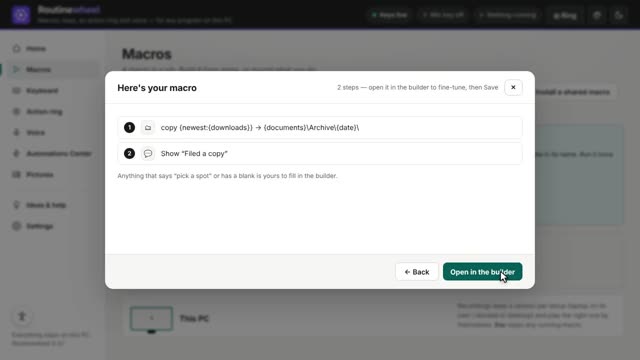
Your recording is now a list of steps you can read and change. Each window waits to open before anything is typed into it.
Press Save macro, and it's ready to run.
Tip: recording is best for a short run of clicks in one program. For jobs that wait on a slow program, Quick build or step by step works better.
You'll find more short videos at routinewheel dot com, slash learn.
Step by step
- On Macros, press ● Record my screen.
- During the 3-second countdown, switch to your program.
- Do the job the way you always do.
- Press Esc twice, quickly, to finish.
- Read it back. Click a line to strike it out, like a wrong click or a typo you fixed.
- Type a name, then press 🧹 Clean up & turn into steps.
- Check the steps and press Save macro.
If it doesn’t work
- Passwords are never recorded. Anything typed into a password box is left out, so sign in first, then run the macro.
- Recording is best for a quick run of clicks in one program. If the job waits for a slow program, like a big Excel file opening, Quick build or Build step by step works better.
- Want today's date in it? While you record, type
{date}where the date goes. It's filled in with the right day every time. - Use the same screens when you record and when you play. Laptop and docked? Record once on each, and the right one plays by itself.
Still stuck? Write to us, or in Routinewheel use Ideas & help › Report a problem.